Clinic Management · MBYS
MedicoStar Clinic Management Software
For practices and clinics in Turkey, MedicoStar is cloud-based clinic management…
View
Building healthcare technology since 2018 Schedule a demo with us
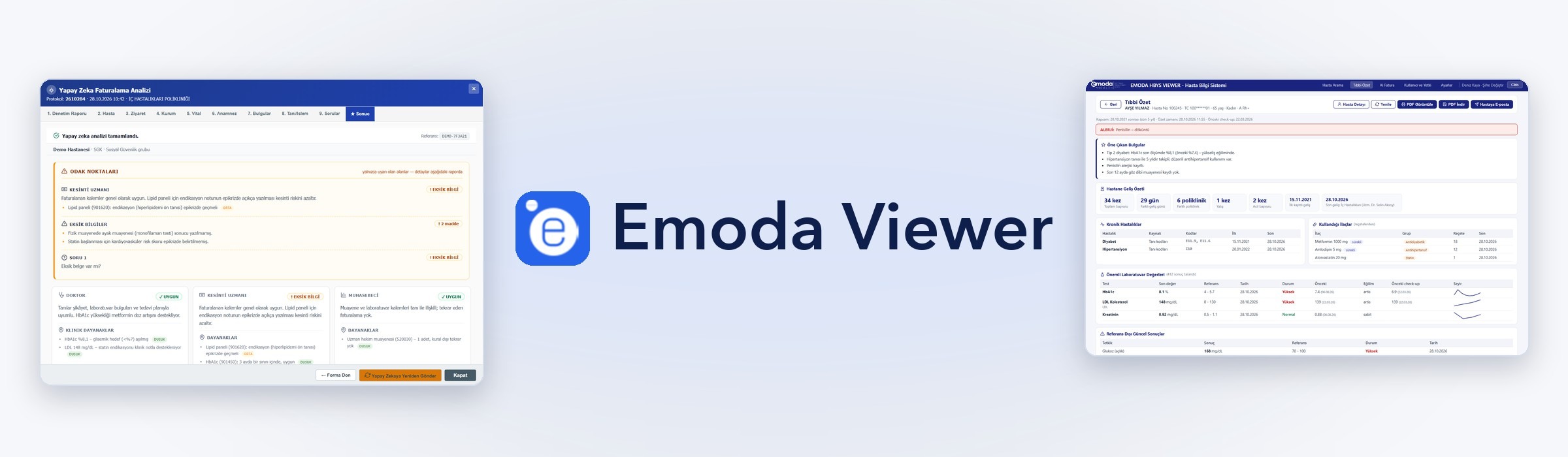
For hospitals in Turkey, Emoda Viewer brings HIS data together on one screen without changing it, with patient records, automatic medical summaries, an AI audit before SGK billing, natural-language questions on hospital data and user management.
Availability: Emoda Viewer is currently available only for hospitals in Turkey. It is built for the Turkish healthcare system (SGK, MEDULA, SUT) and its interface is in Turkish.
Emoda Viewer is an AI-assisted platform that brings a hospital's existing HIS (hospital information system) data together on one modern web screen. Patient search and a single-screen patient record, automatic medical summaries, an AI audit before SGK billing (AI Billing), natural-language questions on hospital data (Ask AI), and user and permission management are offered in one place. It never writes to the HIS, it only reads, and it works with any HIS. Physicians, hospital management, finance and quality teams reach the information they need without navigating HIS screens. Emoda Viewer is developed by Emoda Software and is in live use in a private hospital setting.
Users are greeted by a single search box and cards for the modules they are authorised to use. Typing a patient number, national ID, name, page or setting is enough; results appear while typing. The modules on the dashboard, in screen order:
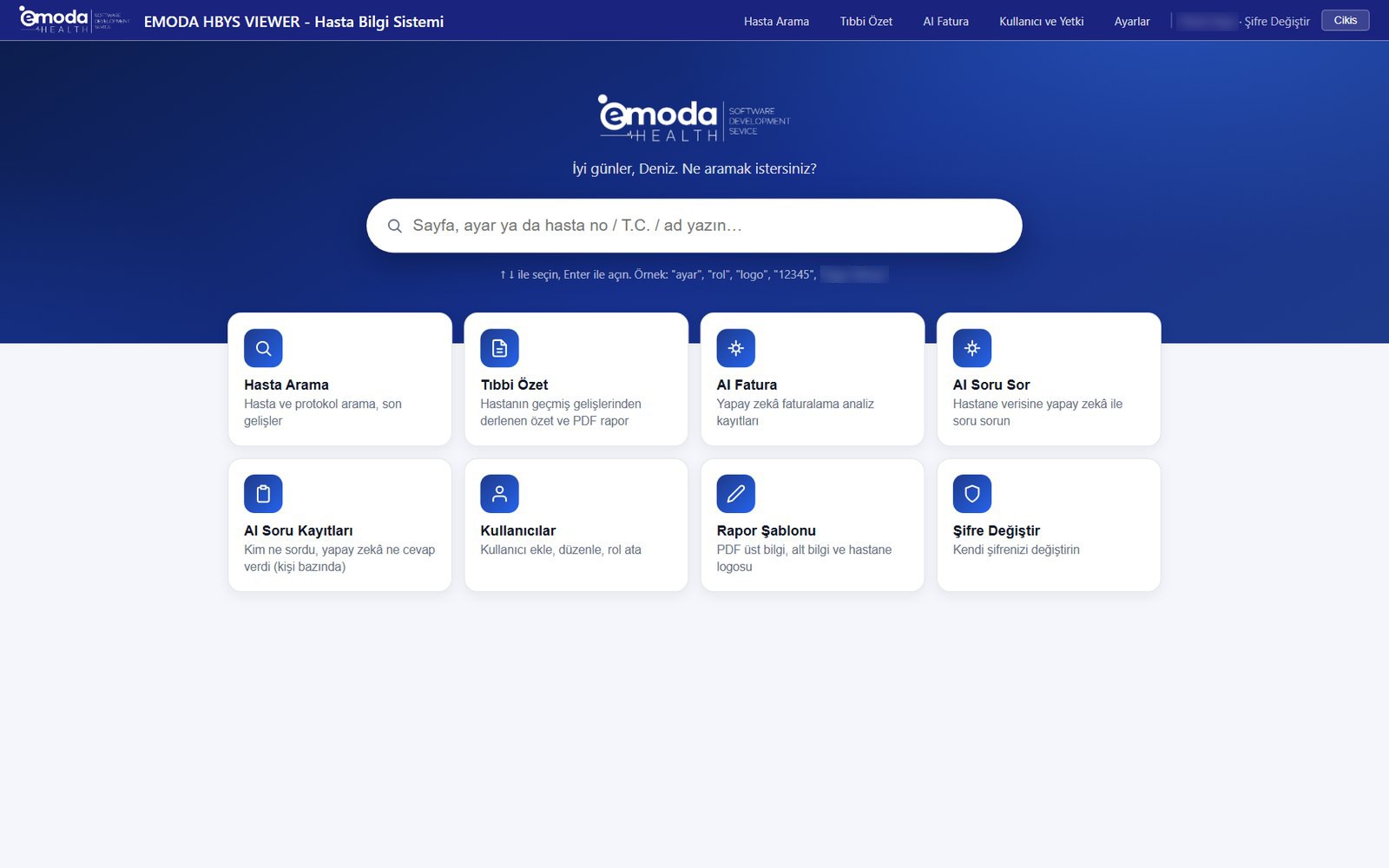
Patients are found by visit number, patient number, name, national ID or visit date. All of the patient's information, including visits, diagnoses, test and radiology results, discharge summaries, prescriptions and invoices, is shown on one screen without navigating HIS screens.
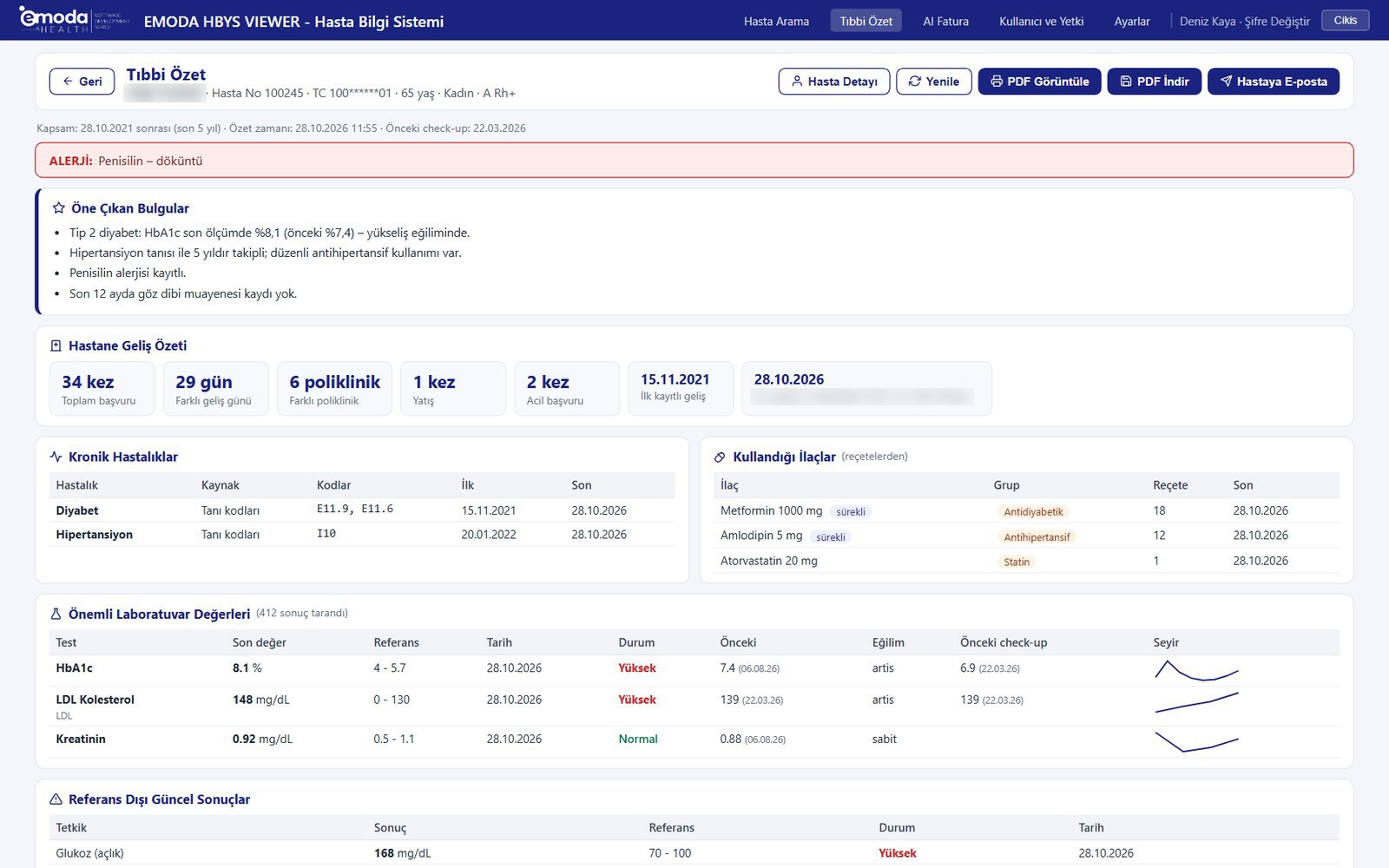
The Medical Summary compiles a one-page patient summary of recent years: key findings, allergies, chronic conditions, long-term medication, trends of important tests (with charts), out-of-range results, radiology and pathology reports, admissions, surgeries and overdue screenings. Test-order indications are included, so the physician sees what was ordered and why. It can be downloaded as a PDF with the hospital's logo or e-mailed to the patient as a password-protected PDF.
SGK claim deductions are one of the biggest revenue losses for private hospitals in Turkey. Claims are submitted through MEDULA; if an SGK review or sample audit finds missing information or a non-compliant item, the amount is deducted, often weeks or months after the invoice. AI Billing runs a pre-bill audit instead: the billing team or the physician opens the visit or admission, sends it to AI analysis with one click and sees the result on one screen.
AI Billing checks all three before the claim is sent.
Besides outpatient visits, inpatient discharge summaries are also analysed before billing. Diagnoses, procedures, medication, laboratory, radiology, pathology, consultations and the operative note linked to the admission are reviewed together; SUT compliance of the discharge summary, the justification for admission and missing information are reported. Pending test results and linked episodes (e.g. first visit and admission) are shown to the user.
The Structured Extraction section of the report lists what the AI identified in the discharge summary: diagnoses (ICD-10 codes), procedures (SUT codes), medication (dose and frequency), laboratory values and the line of treatment. What is written in the discharge summary can then be compared side by side with the items to be billed.
Key findings at the top of the result collect only what needs attention: items at risk of deduction, missing information to add to the discharge summary and the institution's own questions (e.g. "Are any documents missing?"). The visit is reviewed separately for clinical appropriateness, SGK deduction risk and billing consistency, each with a "Compliant", "Missing information" or "Non-compliant" outcome, reasons and SUT references.
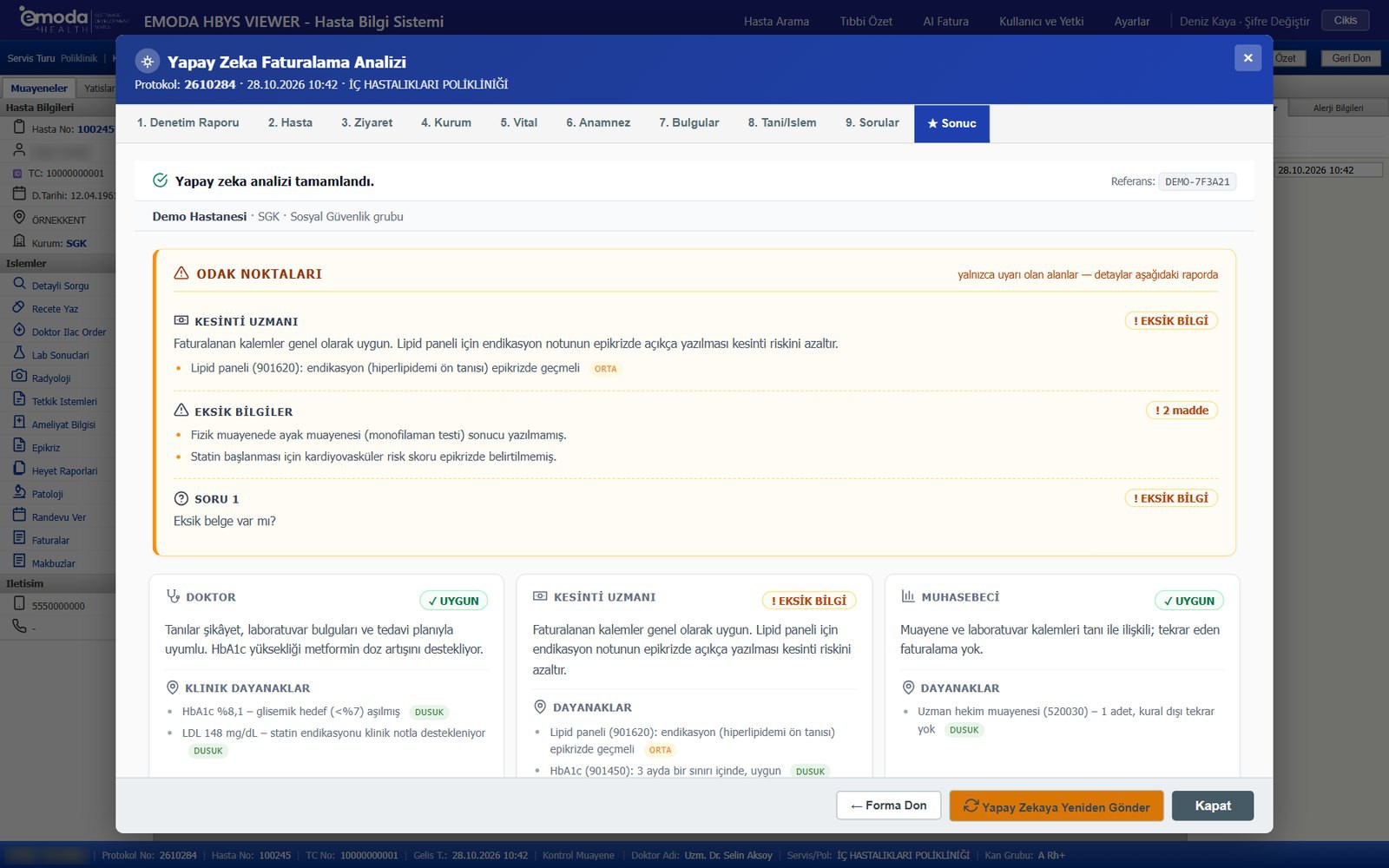
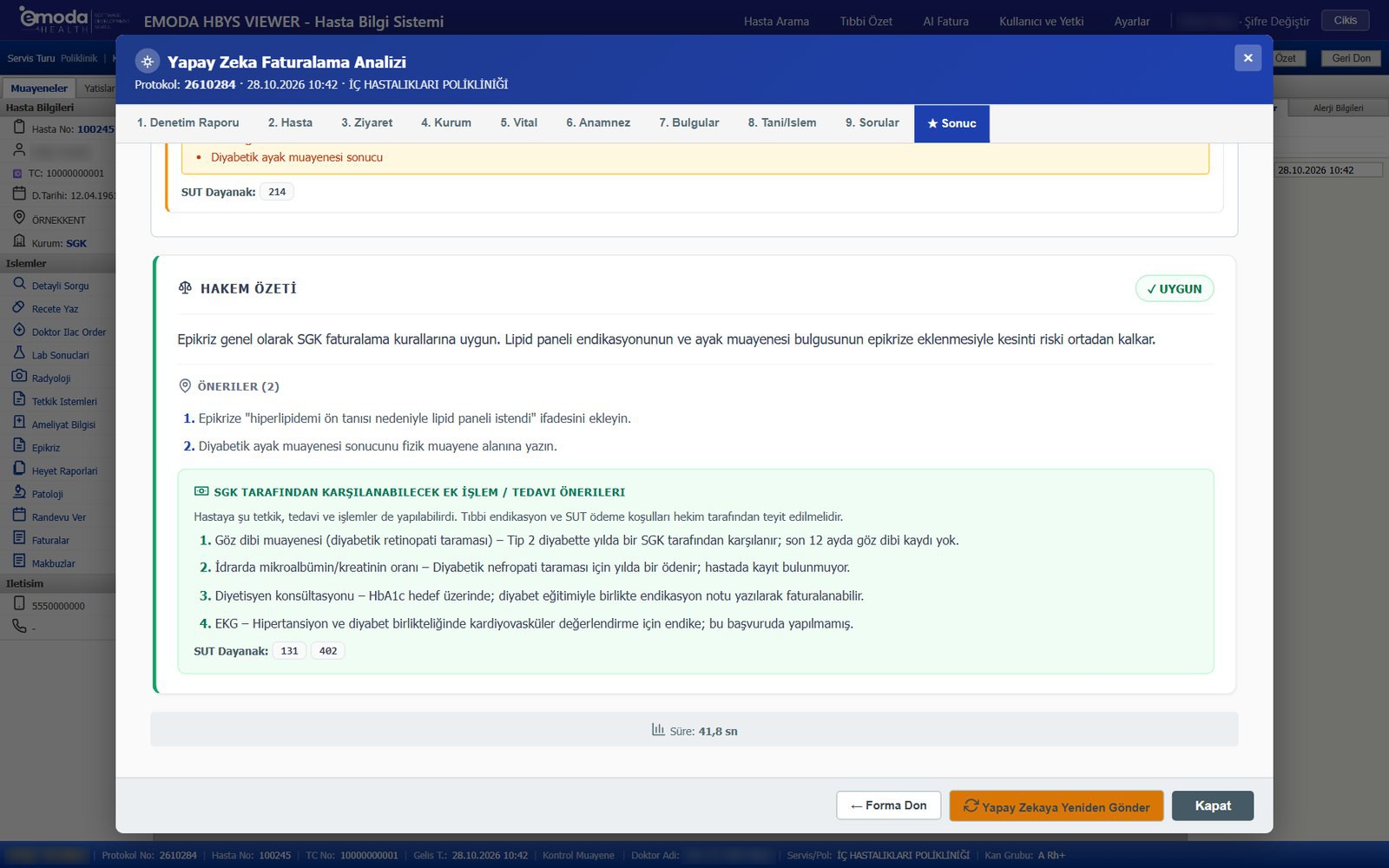
AI Billing does more than prevent deductions: it suggests tests and procedures that are clinically indicated and covered by SGK but were not done. For example, if a diabetic patient has had no eye examination or urine microalbumin test in the last 12 months, it appears among the suggestions, together with the sentences to add to the discharge summary. The physician always makes the final decision.
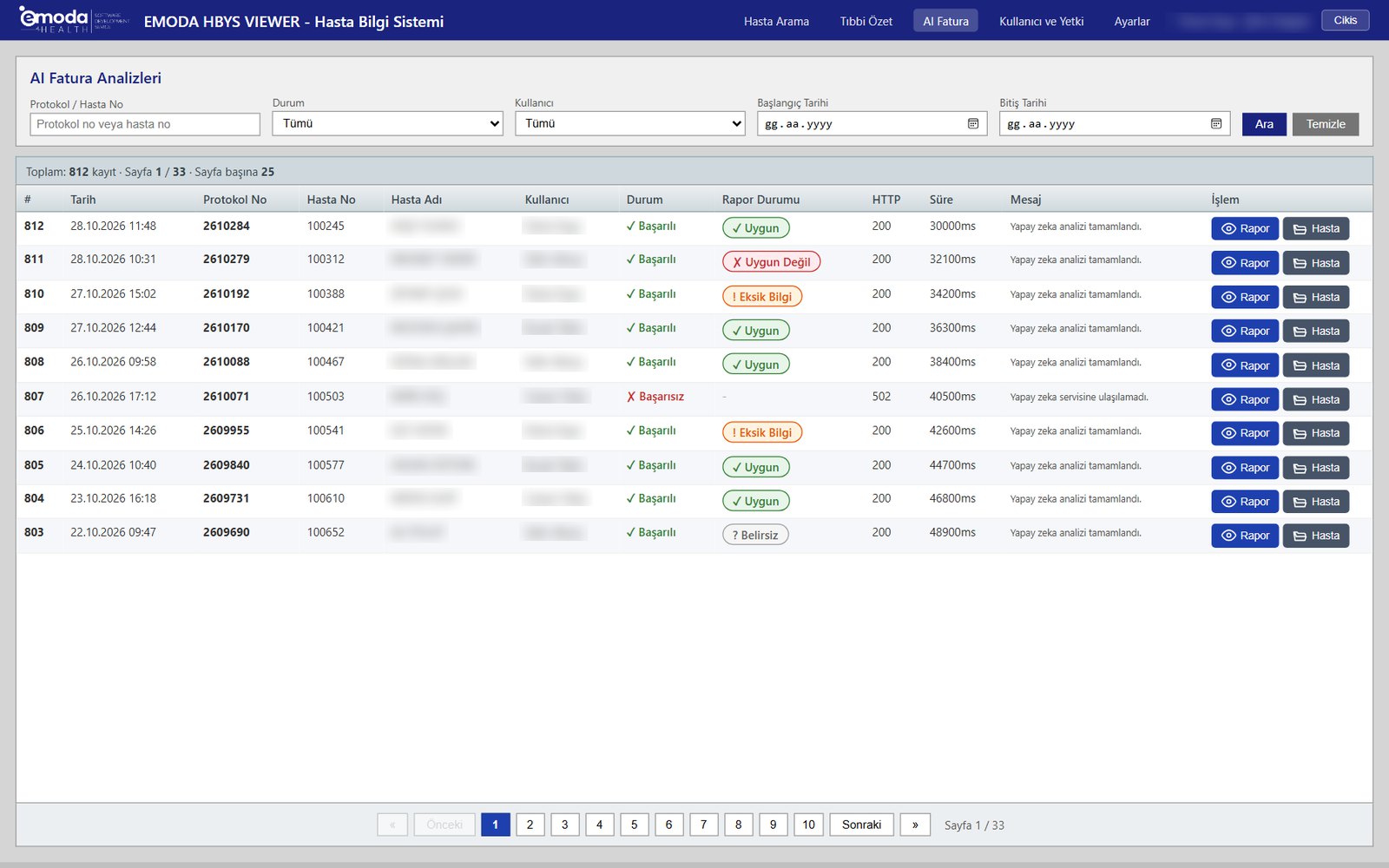
All analyses are listed and filtered by date, visit, user and outcome. Visits marked "Non-compliant" or "Missing information" appear in one list, and each report and patient record opens with one click, so billing and quality teams can standardise internal billing audits. If an analysis has already been completed for the same visit, it opens without being charged again; a fresh analysis can be run when needed.
Instead of raising a request with the reporting team, users ask questions in Turkish as if chatting: "How many patients came today?", "How many visits did each outpatient clinic have yesterday?", "Monthly operating theatre utilisation in 2026". Answers are compiled from hospital records; numeric results open as tables that can be downloaded as Excel or PDF, and patient lists link straight to each record. Patient names and national ID numbers are not sent to the AI.
Users with financial analysis rights can see revenue, cost and margin per case; operating time and length of stay; and the breakdown of drug, material, theatre and bed costs by physician, specialty, month and procedure type. Operating theatre utilisation and monthly revenue by service type can be asked as well.
Who asked what in Ask AI, when, and what the AI answered is listed per user and per conversation, can be filtered and exported to Excel. Out-of-scope and failed questions are flagged, so management and quality teams can see how AI is used in the hospital.
Users are added, edited and given roles built from ready-made permissions, so each team sees only the screens it needs. Sign-in records, failed sign-ins and activity logs are tracked in the same section.
The look of medical summary and report PDFs is set from the interface: hospital logo, header and footer text, and masking of the national ID in PDFs. No code changes are needed.
Users can change their own password; open sessions on other devices are closed automatically when it changes. Sign-in is allowed only from approved IP addresses, an SMS code is required for sign-ins from outside the hospital, and accounts are locked after failed attempts.
Beyond Emoda Viewer, we also build custom rule-based or AI-powered decision support modules: Clinical Decision Support System Development.
To see AI Billing on your own visits or explore the demo installation, contact us.
Emoda Viewer is a platform that shows a hospital's existing HIS data on one web screen, with automatic medical summaries, an AI audit before SGK billing and natural-language questions on hospital data. It is developed by Emoda Software.
No. Emoda Viewer runs alongside the HIS and only reads data; your workflows, records and user habits stay the same.
It works with any HIS; it is vendor-independent.
Before billing, each visit is audited with AI so deduction risks and missing information are visible in advance, and reimbursable tests or procedures that were missed are suggested.
Mainly billing teams and physicians; management and quality teams follow all analyses and their outcomes on the records screen.
Patient identity data is not sent to the AI. The application can also be installed on the hospital's own server.
Mostly because of missing documentation (indication, findings or documents), items that break SUT rules or are out of scope, and inconsistencies between diagnosis, treatment and billing. AI Billing checks these before the claim is sent.
Yes. Besides outpatient visits, discharge summaries are analysed for SGK/SUT compliance before billing.
Each user sees only the screens they are authorised for. Every access to patient data and every question asked to the AI is logged.
For practices and clinics in Turkey, MedicoStar is cloud-based clinic management…
View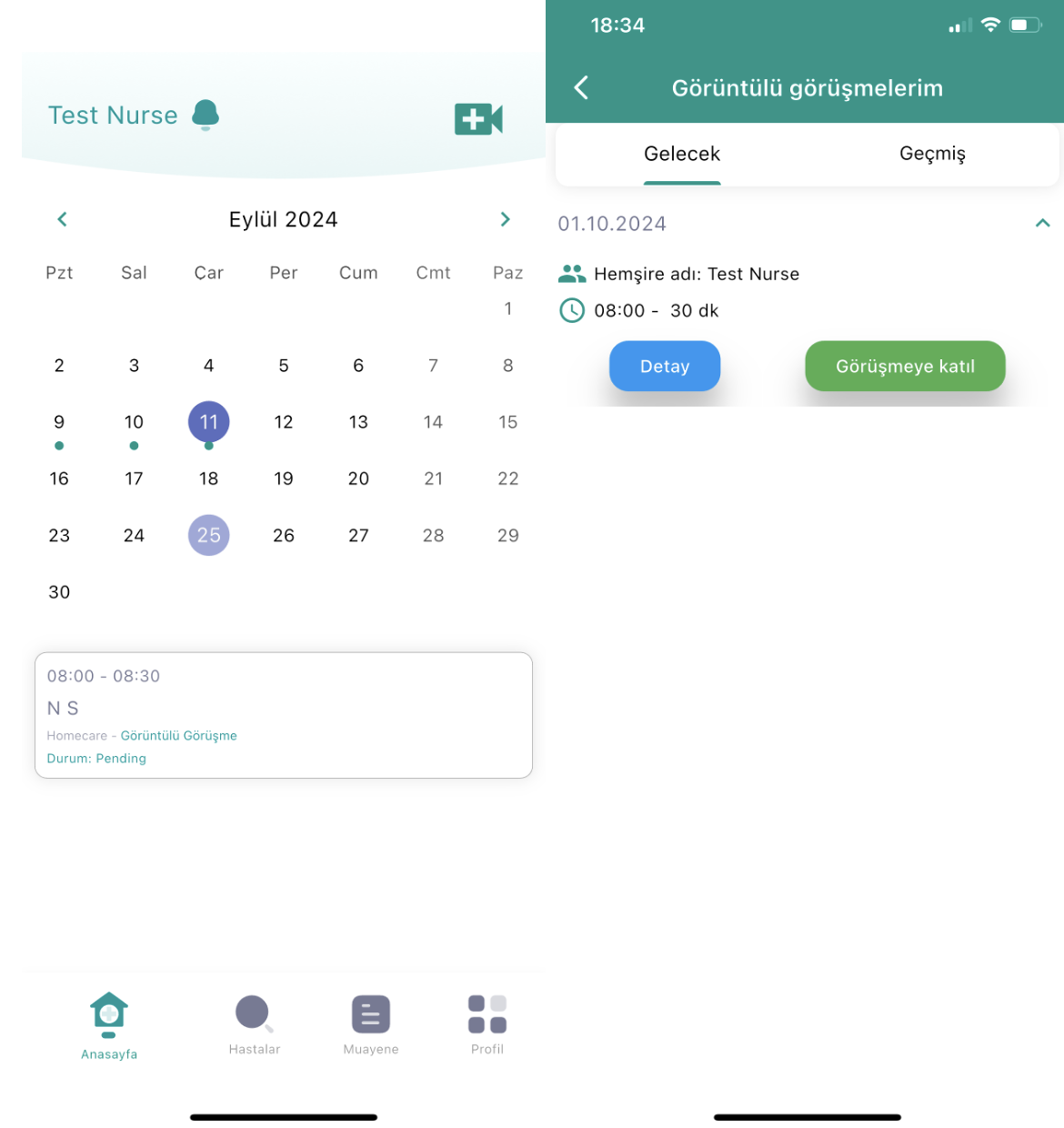
Rehealth Home Care is an all-in-one home-care platform — designed so clinicians…
View
Microcell Laboratory Information System is software developed for laboratories t…
View