HIS · Artificial Intelligence
Emoda Viewer — HIS Data Viewer and AI Platform
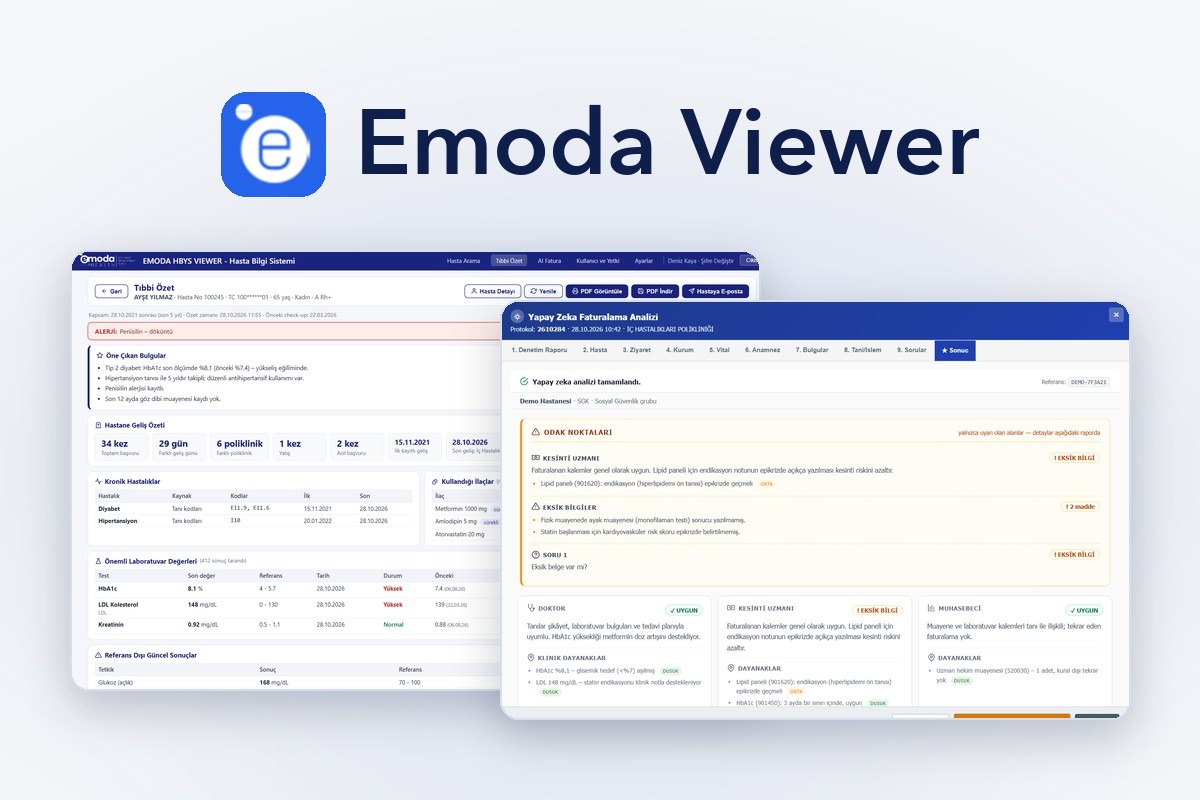
For hospitals in Turkey, Emoda Viewer brings HIS data together on one screen wit…
View
Building healthcare technology since 2018 Schedule a demo with us
For practices and clinics in Turkey, MedicoStar is cloud-based clinic management and patient tracking software registered with the Ministry of Health as an MBYS, with appointments, e-prescriptions, e-reports, AI notes and video consultations via a registered USBS.
Availability: MedicoStar's MBYS, e-Nabız, e-prescription and USBS features are built for the Turkish healthcare system and apply to practices and clinics in Turkey.
MedicoStar is cloud-based clinic management and patient tracking software for private practices, clinics and medical centres. It was developed by Emoda Software together with HEKİMANNE Inc., founded by paediatrician Dr. Görkem Astarcıoğlu, drawing on doctors' everyday clinical practice. Appointments, patient records, consultations, prescriptions, vaccines, stock, finance and patient communication come together on one screen. MedicoStar is registered with the Turkish Ministry of Health as an MBYS (practice information management system); e-Nabız notifications, e-prescriptions, e-reports and ITS (drug track and trace) transactions are handled inside the software. With Emoda's registered USBS (remote health information system), doctors can hold video consultations without the patient installing an app. Consultation screens adapt to each specialty.
Patient tracking software keeps a practice's patient records, appointments, consultation notes, prescriptions and payments in one place; clinic management software adds stock, finance, staff and reporting. MedicoStar combines both as cloud-based software registered with the Turkish Ministry of Health as an MBYS: no installation, and e-Nabız notifications, e-prescriptions and e-reports are handled from the same consultation screen.
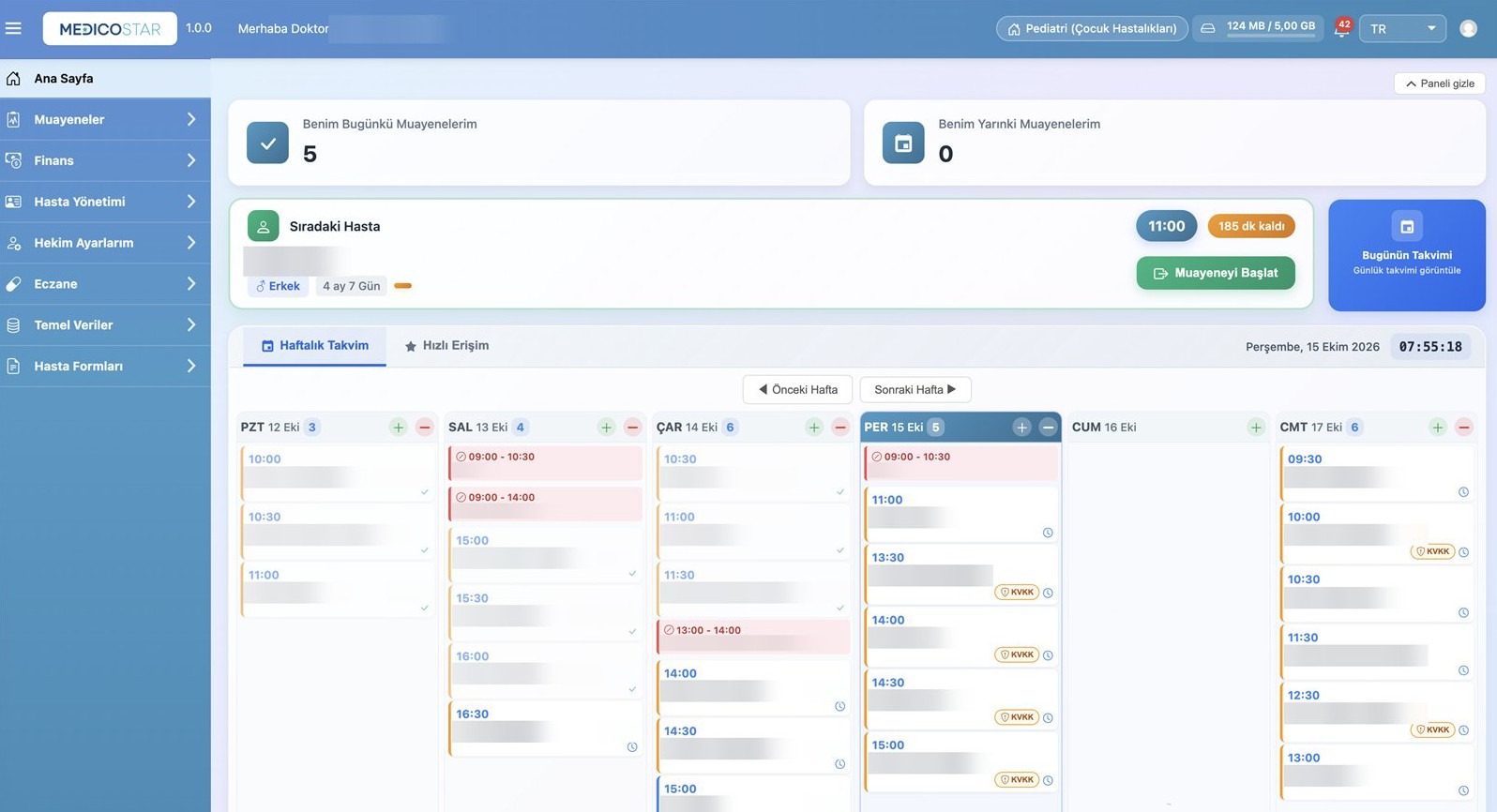
MedicoStar is registered as an MBYS (Muayenehane Bilgi Yönetim Sistemi, practice information management system) in the Ministry of Health's registration system. Doctors do not re-enter data in the ministry portal; everything is done from the consultation screen.
Video calls in MedicoStar run on Emoda's remote health information system (USBS), approved by the Turkish Ministry of Health. The doctor creates the call from the patient card or consultation, and the patient receives a link by SMS or e-mail.
Emoda Software is a registered USBS provider with the Turkish Ministry of Health. Doctors and clinics that keep their own clinic software can license USBS separately. Alongside video calls, a USBS licence covers most of MedicoStar's core screens, such as patient details, consultation records, complaints, medication, diagnosis and treatment, and finance. Contact us for details.
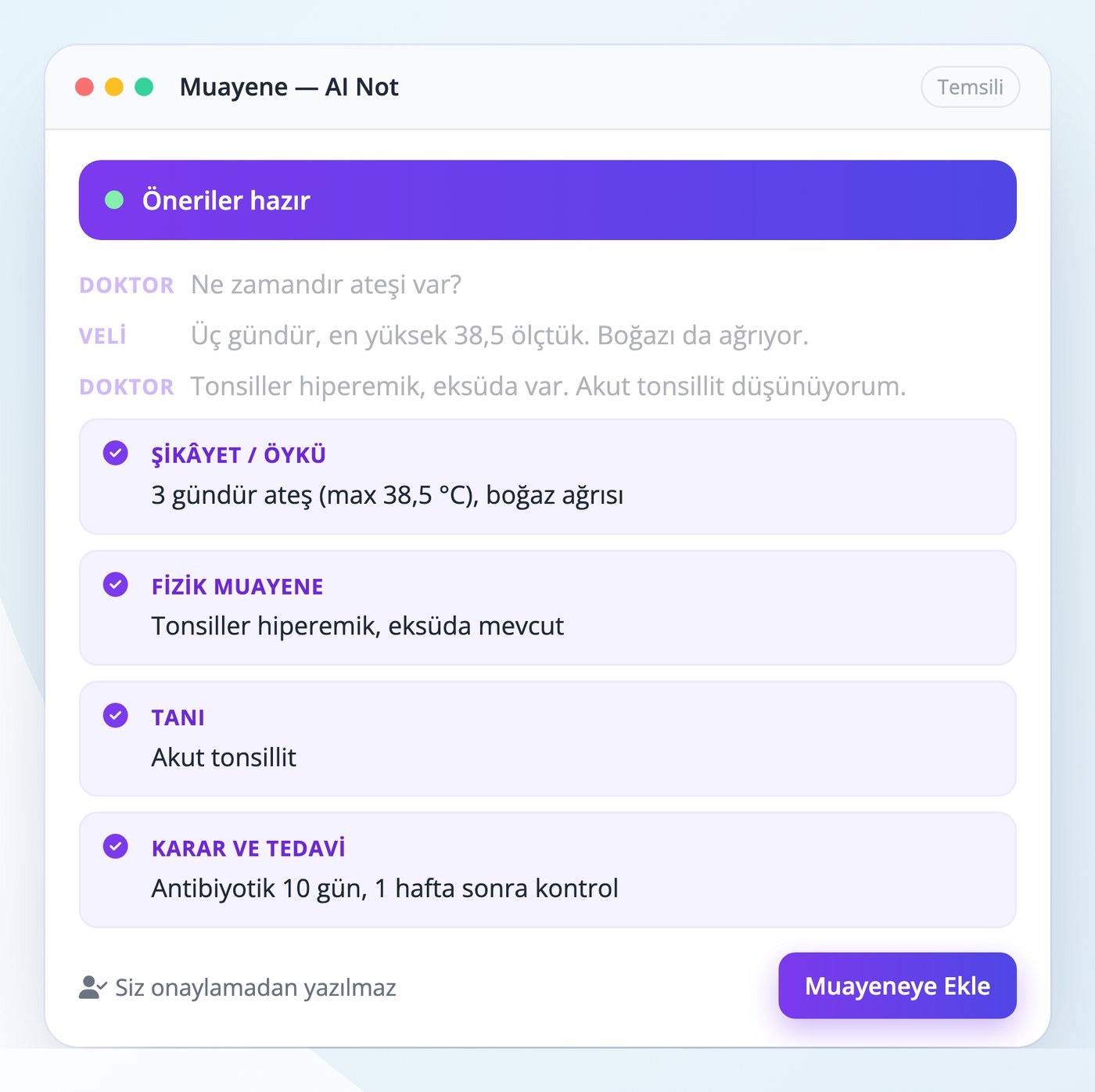
The doctor starts AI Not on the consultation screen and talks with the patient as usual. When the recording ends, the conversation is transcribed and the AI drafts the complaint and history, current medication, vital signs, physical examination, diagnosis, treatment and follow-up fields. Suggestions open in an editable window and nothing is written to the record without the doctor's approval. The AI does not diagnose; diagnosis and treatment are taken from what the doctor says. Audio and transcripts are not stored, and the patient's name and national ID number are not sent for analysis. AI Not understands Turkish medical terminology and works in every specialty.
The consultation screen opens according to the department's specialty; different specialties in the same clinic work with their own screens, and unused menus are hidden.
Percentiles and z-scores with WHO, CDC and Neyzi references, growth charts; national and private vaccine schedules; blood pressure percentiles; infant development and feeding plans; corrected age for preterm infants.
Pregnancy file with gestational age and due date, G/P/A/L, maternal age and Rh alerts, ultrasound fields and weight chart; expected births list and the newborn's patient card after delivery.
Screens in "client" and "session" language; SOAP, DAP and BIRP session notes; scales such as PHQ-9, GAD-7 and DASS-21 sent by SMS and charted; treatment plans and session packages. Private psychotherapy notes are visible only to their author.
Mental status examination, risk assessment and trend charts; drug level monitoring for lithium, valproate, clozapine and similar drugs, with a list of due checks.
Pre-operative assessment, operation notes, wound care and suture removal, pending pathology and biopsy results.
VAS pain score, range of motion, muscle strength and orthopaedic tests; session tracking, progress notes and VAS/ROM trend charts; home exercise programmes.
For details on using MedicoStar in urology, cardiology, ENT, dermatology, orthopaedics, ophthalmology, neurology, internal medicine and other specialties, contact us.
MedicoStar is cloud-based clinic software and runs in the browser on computers, tablets and phones without installation. Account setup, configuration and training take 1–2 business days; migrated records are checked together with you. The interface is available in four languages, including Turkish and English.
MedicoStar works as practice management software for single-doctor practices and as clinic management software for multi-doctor clinics, medical centres and multi-branch organisations. Doctors, nurses, secretaries and clinic administrators work in the same system across all specialties.
To try MedicoStar in your clinic or see the demo setup, contact us. Product website (in Turkish): medicostar.com.tr
MedicoStar is web-based clinic management and patient tracking software developed by Emoda Software for private practices, clinics and medical centres in Turkey. It combines appointments, consultations, prescriptions, vaccines, stock, finance and patient communication, with specialty screens, AI notes and video consultations.
Patient tracking software keeps a practice's patient records, appointments, consultation notes, diagnoses and prescriptions digitally in one place. MedicoStar is cloud-based patient tracking and clinic management software with appointments, consultations, e-prescriptions, e-reports and e-Nabız notifications.
Yes. MedicoStar is registered with the Turkish Ministry of Health as an MBYS (practice information management system), and the Emoda USBS used for video consultations is also registered. e-Nabız patient registration and consultation notifications are sent from the software with the doctor's approval.
Yes. e-Prescriptions and e-reports are issued electronically from the consultation screen.
Yes. Appointments, patient cards, consultations, e-prescriptions, e-reports, e-Nabız, lab tracking, digital forms, stock, finance, SMS and AI Not are used in every specialty. Contact us for details for your specialty.
No. Patients open the link sent by SMS or e-mail, enter a one-time code and join from their browser. Video calls run on Emoda's registered USBS.
No. Audio and video are not recorded; only the time, duration, participants and the doctor's consultation note remain in the patient file.
No. Audio and transcripts are not stored, and the patient's name and national ID number are not sent for analysis. Nothing is saved without the doctor's approval.
Yes. Patient lists import from Excel, and our team migrates patient, visit and vaccine history from the previous system.
For hospitals in Turkey, Emoda Viewer brings HIS data together on one screen wit…
View
Rehealth Home Care is an all-in-one home-care platform — designed so clinicians…
View
Microcell Laboratory Information System is software developed for laboratories t…
View